An operating system (OS) is the core software that powers computers, managing hardware, software, files, memory, and user interfaces. It allows users to interact with their computers and run applications. While many people know about Windows or macOS, there are actually hundreds of operating systems in the world, each designed for specific purposes: personal use, servers, mobile devices, supercomputers, or embedded systems.
This article offers a broad look at all the major categories and notable operating systems used across the globe.
These are the OSes used in most personal computers and laptops.
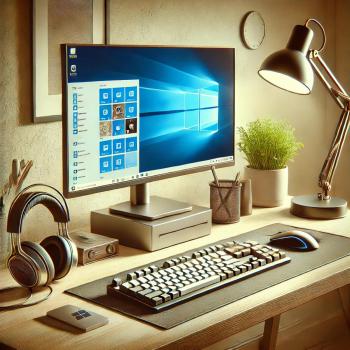
Most widely used OS in the world (especially on desktops/laptops).
Popular versions: Windows 10, Windows 11.
Features: Start menu, taskbar, File Explorer, extensive driver support.
Used by: Home users, offices, schools, gaming.
Exclusive to Apple computers like the MacBook and iMac.
Based on Unix (Darwin), with a graphical user interface (GUI).
Known for stability, security, and aesthetics.
Versions: macOS Ventura, Sonoma, etc.
Open-source and free.
Used by programmers, developers, and businesses.
Graphical and command-line based.
Common distros:
Ubuntu – user-friendly
Debian – stable, parent of Ubuntu
Fedora – cutting-edge, backed by Red Hat
Arch Linux – minimal, advanced users
Linux Mint – beginner-friendly
Kali Linux – security and penetration testing
Used in smartphones, tablets, and handheld devices.
Developed by Google.
Based on Linux.
Open-source, but mostly used with Google services.
Dominates the global smartphone market.
Exclusive to iPhone and iPad.
Closed-source, highly optimized.
Known for privacy, smooth performance, and high-quality apps.
Developed by Huawei.
Designed for smartphones, tablets, and IoT devices.
Gaining popularity in China.
Lightweight OS for feature phones.
Runs apps like WhatsApp and YouTube.
Popular in developing countries.
These are used in data centers and enterprise environments.
Ubuntu Server
CentOS (discontinued, replaced by AlmaLinux/Rocky Linux)
Debian
Red Hat Enterprise Linux (RHEL) – paid, stable, widely used.
SUSE Linux Enterprise Server (SLES)
Linux dominates servers due to its flexibility and security.
Developed by Microsoft.
Used in corporate environments, Active Directory, file servers.
Versions: Windows Server 2019, 2022.
Predecessor of Linux.
Still used in enterprise-grade systems.
Examples: IBM AIX, HP-UX, Solaris.
These OSes run on specific hardware or for special purposes.
Made by Google.
Runs on Chromebooks.
Cloud-based, lightweight, secure.
Unix-like OSes.
Known for networking and security.
Often used in firewalls, routers, and servers.
Used in embedded systems where timing is critical.
Examples:
FreeRTOS
VxWorks
QNX (used in automotive systems)
RTEMS
Developed by Samsung.
Used in smart TVs, smartwatches, and appliances.
Inspired by BeOS.
Lightweight and open-source.
Open-source OS aiming to be compatible with Windows.
Now obsolete but historically important (MS-DOS).
Still used in some industrial and embedded systems.
Used for virtualization, containers, and cloud environments.
Hypervisor for running virtual machines on servers.
Open-source virtualization and container platform.
Linux-based hypervisors.
Experimental OS using a new microkernel (Zircon).
May replace Android in the future.
Supercomputers use highly specialized operating systems.
Cray Linux Environment (CLE)
IBM Compute Node Kernel
TOSS (Tri-Lab Operating System Stack) – used by U.S. national labs.
These systems are optimized for parallel processing, not user interface.
Some systems work entirely through the cloud or in browsers.
Jolicloud (discontinued) – cloud desktop.
eyeOS – web desktop environment.
Windows 365 Cloud PC – full Windows OS in the cloud.
From desktop giants like Windows and macOS to tiny embedded OSes like FreeRTOS, the world of computer operating systems is vast and dynamic. Each system is designed with specific goals in mind—usability, stability, security, performance, or cost.
As technology evolves, so will operating systems—especially in areas like cloud computing, AI integration, and wearable devices. Whether you're an everyday user, developer, or system admin, understanding these OSes helps you choose the right tool for the job.